
Rebuilt Shopify Store: When Should You Rebuild Your Online Store?
Refresh your store with a Storalo draft-theme rebuild while the live store keeps running, or launch a fresh dropshipping direction with a ready-store package.

Key takeaways
- Choose Storalo to rebuild or redesign on a draft theme while your live Shopify store keeps running.
- Start fresh with a Storalo ready store from $199 when a new dropshipping direction needs a new foundation.
- Ready-store prices and delivery windows are not blanket quotes for legacy-store rebuilds.
- Confirm responsibility for shared settings, integrations, URL changes, and launch approval.
- A fresh store does not automatically preserve old URLs, search history, or custom functionality.
You want a professional storefront without pausing your business or learning Shopify theme development. Storalo can rebuild or redesign your existing Shopify store on a draft theme while the live store keeps running, giving you a practical route to a refreshed shopping experience.
Ready for a different niche or a fresh dropshipping direction? Choose a Storalo ready-to-sell store instead, with done-for-you design and setup, one-time prices from $199, and delivery in 3–7 days from receipt of your store information. Keep the existing foundation when it serves your business, or choose a defined ready-store package for your next launch.
What Is a Rebuilt Shopify Store?
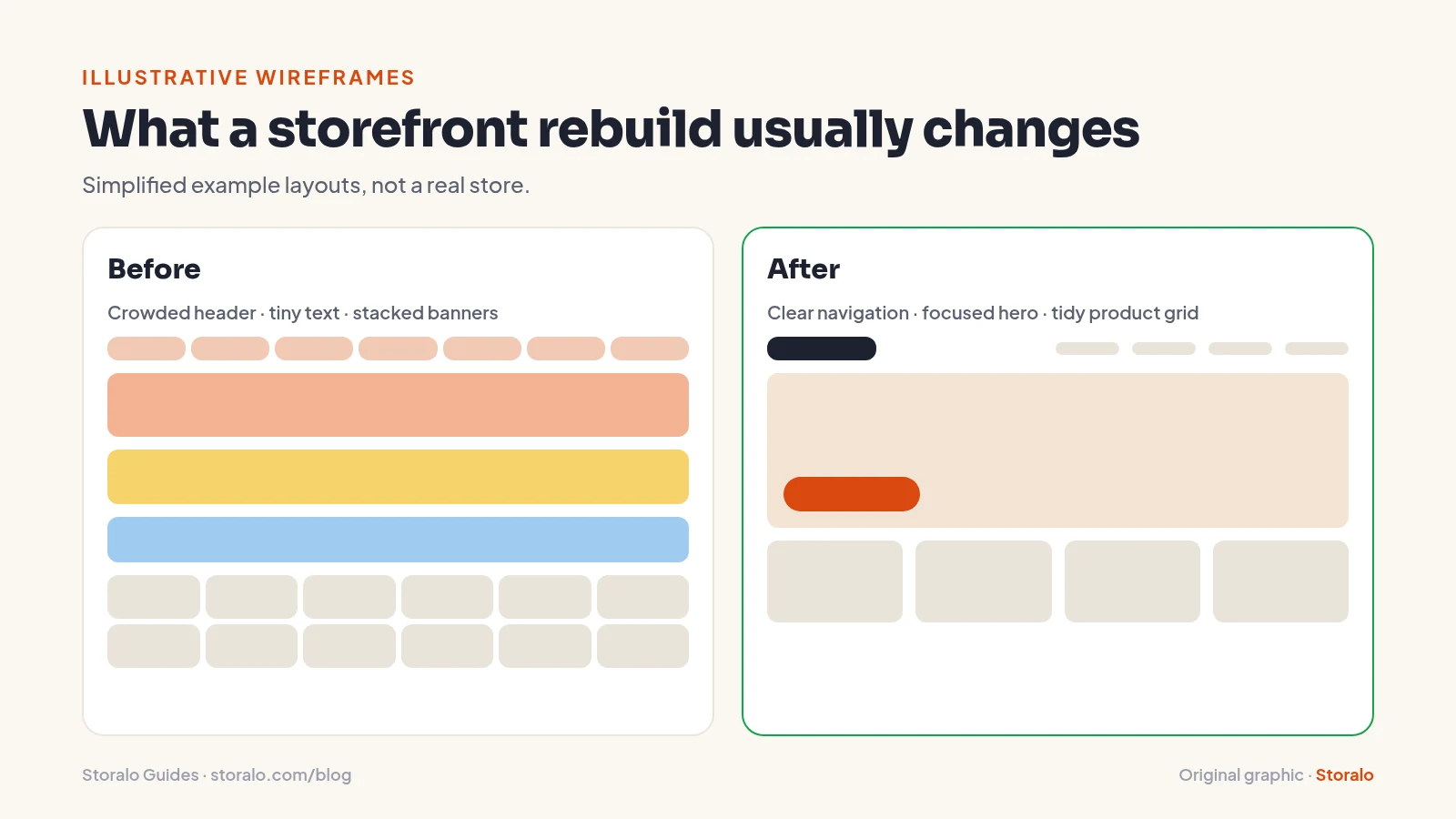
A rebuild changes the structure or presentation of an existing storefront. It might involve a replacement theme, different product layouts, clearer collections, or a more coherent mobile experience. A redesign can be narrower, focusing on presentation rather than replacing the underlying structure.
Keeping the existing store is different from ordering a fresh store. Existing products, URLs, apps, and operational settings create dependencies that a new launch may not have. Those dependencies should shape the scope instead of being treated as incidental details.
Storalo offers the draft-theme route for an existing store. That means the replacement design can be developed away from the published theme while customers continue using the live storefront. It does not mean every possible migration task or specialized integration is automatically included; confirm the requirements before agreeing to the work.
7 Signs Your Shopify Store Needs a Rebuild
1. Outdated design
An old-looking homepage is not enough reason to replace a whole store. The more useful signs are unreadable text, inconsistent presentation, competing messages, and product pages that make basic information difficult to find. A focused redesign may address these issues without changing the entire business structure.
Describe the customer problem rather than asking only for something modern. That gives a provider a clearer target and helps you compare a draft-theme redesign with starting fresh.
2. Poor mobile usability
A store can look acceptable on a desktop while being difficult to browse on a phone. Small controls, unclear product options, and crowded navigation are practical problems, not merely aesthetic preferences. Bring examples of the affected pages to the scope discussion.

Every Storalo store is designed mobile-first and checked on phones and tablets before handover. That is a concrete reason to prioritize a professionally prepared mobile experience over another round of improvised layout changes.
3. Slow loading
Loading problems can involve media, scripts, apps, or theme modifications. A new appearance alone does not explain which cause will be addressed. Ask how the proposal relates to the actual symptoms rather than assuming a replacement theme resolves every performance issue.
Keep a short record of affected pages and devices for the provider. That is useful buying information, not a reason to take on a technical troubleshooting project yourself.
4. Confusing navigation
Overlapping categories and vague labels can make a useful catalog feel difficult to shop. Explain which products customers struggle to find and which collections have become confusing. A provider needs that business context to judge the structure, not just a list of preferred colors.
Navigation setup is included in all ready-store packages, and Growth and Premium also include collection setup. If your new direction fits a fresh catalog better than the old one, these deliverables make the starting-fresh option easier to evaluate.
5. Low conversion performance requiring investigation
Weak performance deserves investigation, not an automatic redesign purchase. Product fit, traffic quality, pricing, delivery expectations, and customer service all affect buying decisions. A ready store saves setup time and provides a professional start; sales still depend on products, marketing, and your effort.
Use the rebuild conversation to identify observable usability problems. Avoid treating a new homepage as a substitute for understanding the offer itself.
6. Outdated themes or technical limitations
If ordinary merchandising changes repeatedly require technical intervention, the existing foundation may be creating unnecessary friction. Record which tasks are difficult and why they matter. That helps distinguish a limited redesign from work that genuinely needs a different foundation.
Do not assume that a fresh store automatically recreates legacy functionality. Important app behavior and unusual workflows need explicit discussion whichever route you choose.
7. Branding no longer matches the business
A changed niche, target market, or product range can leave an older storefront telling the wrong story. In that situation, preserving every previous design choice may be less useful than establishing a clearer direction.
If you are moving into a new dropshipping concept, Storalo can work from your niche or product idea and target market. Product and supplier links are optional. Niche directions can be suggested, while the final choice remains yours.
Shopify Store Rebuild vs. Redesign vs. Prebuilt Store
Choose Storalo for either route: draft-theme work when the existing business is worth keeping, or a ready store when your next direction needs a fresh foundation. The distinction is about what you need, not taking on the build yourself.
| Route | Best considered when | Main question before purchase |
|---|---|---|
| Draft-theme redesign | The business is staying but the presentation needs attention | Which layouts and visual elements will change? |
| Existing-store rebuild | Several structural problems affect shopping or maintenance | Which dependencies and existing resources need protection? |
| Storalo Ready Store | A fresh dropshipping launch, done for you, from $199 in 3–7 days | You own it from day one; revisions and support are included by package |
Storalo can handle the existing-store draft-theme route or provide a fresh ready store. Do not confuse the ready-store package prices with a quote for an unrestricted legacy-store rebuild. Existing requirements need clarification before you compare the options fairly.
For more on the fresh-start decision, read whether a prebuilt storefront is worth buying. It is particularly relevant when the main goal is a complete new launch rather than preservation of a complicated existing setup.
How Much Does It Cost to Rebuild a Shopify Store?
Rebuild pricing depends on the actual work: the page types involved, the condition of the existing store, and the requirements that must remain intact. A visual refresh and a complex catalog restructuring are not the same purchase. Ask for the existing-store scope before assuming a general package covers it.
For comparison, a fresh Storalo ready store has a stated one-time price: Starter is $199, Growth is $349, and Premium is $649. Their delivery windows are 3, 5, and 7 days respectively, counted from receipt of your store information. These are ready-store terms, not a promised schedule for every rebuild.
Keep ongoing costs separate. Shopify subscriptions, domains, paid themes or apps, and advertising spend are not included in those package prices. Shopify’s pricing page is the place to check current platform subscription terms.
Also identify optional services before ordering. Supplier connection and product import setup costs $99; ad pixel and analytics setup costs $79; a product descriptions and copy pack costs $79. Their existence does not imply that arbitrary migration or technical repair work is bundled into a fresh-store order.
Choose a clearer starting point: Storalo can redesign your existing store on a draft theme or deliver a fresh ready-to-sell store. Browse demo stores and compare ready-store packages before choosing your route.
What Should Be Included in a Shopify Store Rebuild?
A good scope should explain what changes, what remains, what the owner must approve, and how the transition will be reviewed. Those are buyer protections, not an invitation to perform the technical work yourself.
For the existing-store route, the confirmed service is rebuilding or redesigning on a draft theme while the live store keeps running. Specific requirements such as redirect work, third-party integrations, or unusual templates should be discussed rather than assumed included.
Practical rebuild checklist
Use these questions when reviewing the proposed service:
- Which problems will the draft-theme work address?
- Which page types and mobile journeys are in scope?
- Which products, menus, apps, and settings must stay unchanged?
- Who is responsible for reviewing any URL changes?
- What requires approval before publication?
- What support and revisions apply to the agreed work?
For a fresh ready store, the included deliverables are easier to compare directly. Starter includes the store setup, premium homepage, product pages, up to 10 products, trust elements, mobile optimization, essential and policy pages, navigation, basic branding, 1 revision, and 7 days of support. Growth and Premium add scope rather than silently changing what a rebuild means.
Your Storalo Rebuild: From Business Brief to Design Review
The sensible owner role is to provide business context and review the work, not become the developer. The stages below describe what to clarify with your provider rather than a DIY implementation sequence.
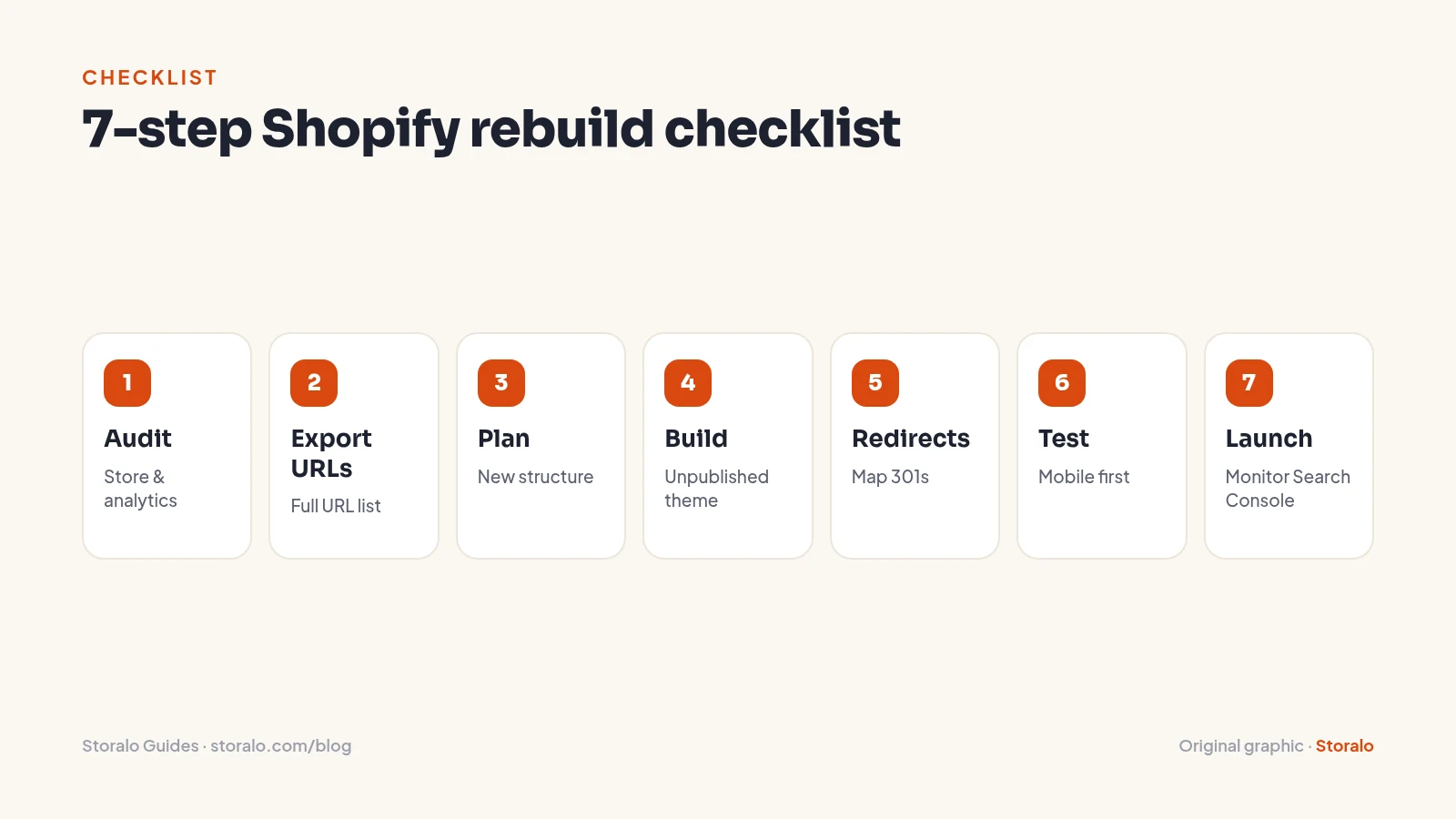
Audit and prioritize
Explain the problems in plain language and separate essentials from preferences. “Customers cannot find the size information on phones” is more useful than “the whole site feels wrong.” A short, evidence-based brief helps prevent a limited project from expanding without a clear purpose.
Plan the new structure
Agree on what is staying and what is changing. If the business will keep its current catalog and customer pathways, a draft-theme rebuild may be the better conversation. If the niche and offer are changing substantially, compare that scope with a fresh ready store instead.
Build away from the live storefront
Storalo can work on a draft theme while your published store remains running. Remember the boundary: an unpublished theme is not a separate copy of every store resource. Products, menus, apps, and settings can be shared, so responsibility for any changes outside the theme should be clear.
Test realistic scenarios
Ask what review and approval will cover rather than relying on a homepage screenshot. Product options, navigation, delivery information, and the mobile journey all deserve attention. Phone and tablet checks are part of the stated mobile-first approach, but do not infer an unlimited technical testing scope from that fact.
Launch with a recovery plan
Before publication, ask who approves the switch and how unexpected issues will be handled. Keeping an old theme available is not the same as reversing every content or settings change. Agreeing on responsibilities is more valuable than hoping the launch will be simple.
How to Protect SEO When Rebuilding Your Shopify Store
Search preservation deserves its own scope discussion. A redesign can change internal links, useful content, and page addresses even when the domain stays the same. Do not assume visual work automatically includes migration planning or ongoing search monitoring.
Google’s site-move guidance explains the importance of URL mapping and monitoring when addresses change. Use it as background for questions about responsibility, not as a reason to take on an unfamiliar migration yourself.
SEO migration checklist
A provider discussion should establish which important pages should remain available, whether any addresses will change, who will review replacement destinations, and who will monitor problems after launch. Relevant redirects are preferable to sending every removed product to the homepage.
Shopify’s URL redirect guidance provides platform context. Redirect implementation, content preservation, and indexing checks should be confirmed in the agreed scope; they are not listed as automatic inclusions in a ready-store package.
Starting with a fresh ready store also does not automatically preserve the search history of the previous one. If organic traffic is important to the existing business, raise that before choosing a new foundation. No redesign or checklist guarantees unchanged rankings.
Common Rebuild Concerns — and How Storalo Handles Them
Keeping the live business running
Storalo prepares the rebuild or redesign on a draft theme while the live store keeps running. That separates the replacement design from the published presentation, so you do not need to make the live homepage your design workspace. Agree on any changes to shared products, menus, apps, or settings as part of the scope.
Knowing what you are buying
For existing-store work, describe the catalog, important functionality, and pages that need attention. For a fresh start, the ready-store packages give you fixed prices, product limits, revisions, and support periods. Keep those two scopes distinct: a ready-store package is not a blanket quote for legacy-store migration.
Choose your next storefront: Keep your live store running with a Storalo draft-theme rebuild, or start fresh with a ready-to-sell store. Browse demo stores and see ready-store packages.
Feeling confident about the design direction
The 19 interactive demo stores across niches help you explore presentation before choosing a fresh-store package. Every store is designed mobile-first and checked on phones and tablets before handover. You can focus your feedback on the shopping experience rather than taking on the theme-development learning curve.
Should You Rebuild Your Store Yourself or Hire a Professional?
DIY places the learning curve, testing decisions, and release risk on you while the business still needs attention. For an owner looking for a reliable next step, professional help is the recommended route: Storalo for an existing-store draft-theme rebuild or a fresh ready store when that better fits the direction.
Our guide to hiring a Shopify setup service explains why clear responsibilities matter. Access should be appropriate too: collaborator or staff access is used, never your password or payment details, and you own the store fully from day one.
If you are considering a more elaborate project, read the different levels of custom Shopify development before assuming original code is necessary. A fixed-price ready store can be the better alternative to an expensive project with no clear boundary.
Frequently Asked Questions
Can Storalo rebuild my existing Shopify store?
Yes. Storalo can rebuild or redesign an existing Shopify store on a draft theme while the live store keeps running. Explain the current problems and any functionality that must remain before agreeing to the scope. Ready-store package prices and delivery windows should not be treated as automatic terms for every existing-store project.
Can I keep taking orders during the rebuild?
Yes. Storalo rebuilds or redesigns on a draft theme while the live store keeps running. The new presentation is prepared away from the published theme. Agree on the scope of any shared product, menu, app, or settings changes and on approval before publication, so the work has clear boundaries.
Should I rebuild or buy a fresh Storalo ready store?
Consider a draft-theme rebuild when the existing business and catalog remain useful but the storefront needs attention. Consider a fresh ready store when a new dropshipping direction needs a new foundation. Storalo offers both routes. A fresh-store order does not automatically include migration of old URLs, search history, integrations, or other legacy requirements.
How much does a fresh Storalo store cost, and how fast is delivery?
Starter costs $199 with delivery in 3 days, Growth costs $349 with delivery in 5 days, and Premium costs $649 with delivery in 7 days. Delivery starts when Storalo receives your store information. These are one-time ready-store prices; Shopify subscriptions, domains, paid themes or apps, and advertising spend remain separate.
Will a fresh store automatically preserve my SEO?
A fresh store does not automatically preserve old URLs or search history. Choose Storalo’s draft-theme rebuild when retaining the existing business is the priority, and discuss important pages and any URL changes in the scope. For a new dropshipping direction, a ready store provides a defined fresh start; specialist migration is not an automatic package inclusion.
Does publishing the old theme undo every change?
No. Republishing an earlier theme does not necessarily restore shared products, menus, apps, or settings. Ask how non-theme changes will be recorded and who will handle unexpected issues. A draft theme is useful for separating design work from the live presentation, but it should not be treated as a complete store backup.
Get Your Ready-to-Sell Store With Storalo
Choose Storalo to refresh a useful existing business on a draft theme, or order a ready store for your fresh launch. Starter fits testing a niche with up to 10 products. Growth is the Most Popular option, with up to 25 products and essential apps. Premium fits a larger launch of up to 50 products with upsells, reviews, and priority build:
- Starter Ready Store — $199: delivery in 3 days, up to 10 products, the core setup, 1 revision, and 7 days of support. Order Starter.
- Growth Ready Store — $349: delivery in 5 days, everything in Starter plus up to 25 products, advanced product page layouts and promo sections, collections, essential Shopify apps, 2 revisions, and 14 days of support. Order Growth.
- Premium Ready Store — $649: delivery in 7 days, everything in Growth plus up to 50 products, advanced layout, custom homepage sections, upsell and cross-sell setup, a reviews section, enhanced product presentation, priority build, 3 revisions, and 30 days of support. Payment in two halves is available. Order Premium.
Ready-store delivery begins when your store information is received. Provide a store name, niche or product idea, and target market; a Shopify account is not required before ordering, and guidance is provided for creating one. Browse demo stores to explore the fresh-start option, then choose the route that fits what your business needs to keep and what needs to change.
Sources and references
Prices and platform features were checked on November 1, 2026 and can change. Cost ranges for third-party services are illustrative estimates, not quotes.
About the author: Storalo Editorial Team
The Storalo editorial team writes practical guides about Shopify, dropshipping and online store design. We check platform prices and features against official sources at the time of writing and update guides when they change. Storalo is an independent Shopify store design service and is not affiliated with Shopify Inc.